Product guide
Draft an agreement, negotiate revisions and keep the signed copies together. The other party only needs a browser.
Privacy
“No servers” is verifiable
We do not ask you to take it on trust. forma. has no backend to trust or distrust in the first place, and every claim below can be checked from the outside in a minute.
Review works offline once the page loads. For your first signature, load the PDF module first. Files and signatures are processed in your browser.
CloudKit of your personal Apple ID moves data between your devices. That is your storage, not ours: we have no access to it.
A document for a lawyer or a counterparty can leave encrypted (AES-GCM). Encryption runs on your device; the password travels separately — usually by voice.
The app and portal run without analytics. The product website counts clicks on the link that opens the portal.
Purchases go through the App Store. Payment details stay with Apple — we neither receive nor store them.
Delete the app data and the iCloud copy, and nothing remains anywhere. Not even we can restore it, because there is nothing to restore it from.
What forma. is made of
The app is yours. The browser is for the other side
forma. has two parts. Documents are created and live in the app on your device. To review them, discuss them and send edits back, the other side needs no Apple device, no install and no account.
Where the document is born and lives
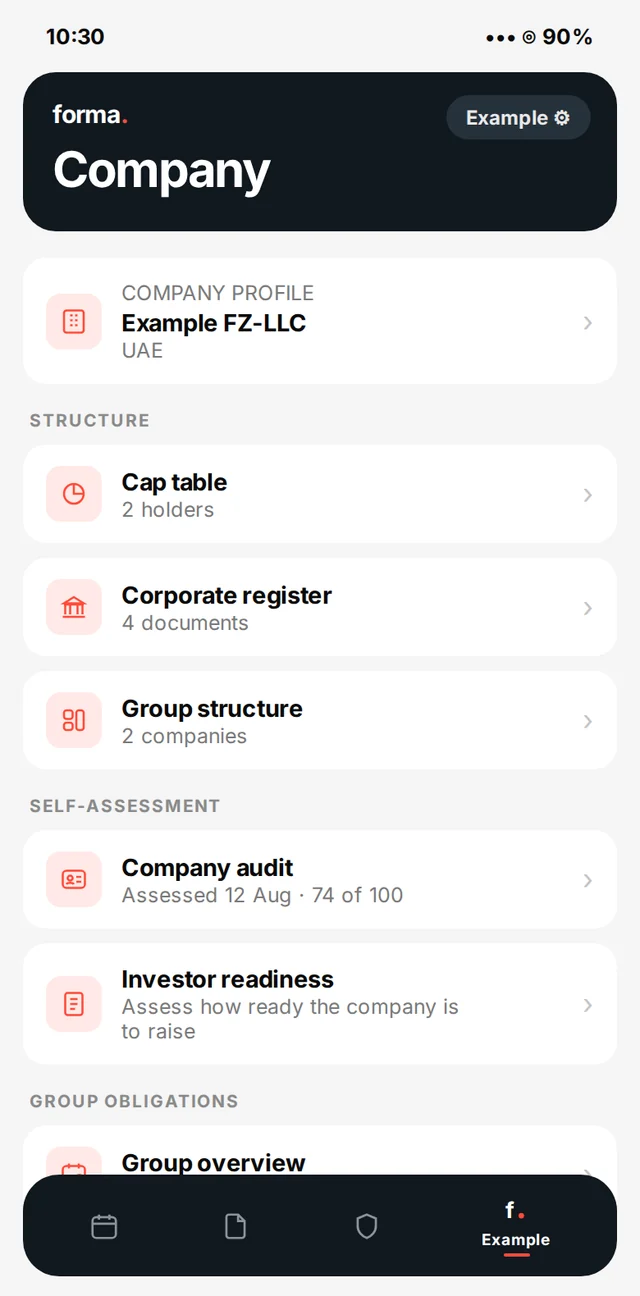
A catalog of contracts and questionnaires, a finished PDF, deadlines and obligations, counterparty cards, groups of companies, a simple electronic signature. Everything stays on the device; syncing runs through your iCloud.
Where it gets reviewed without Apple
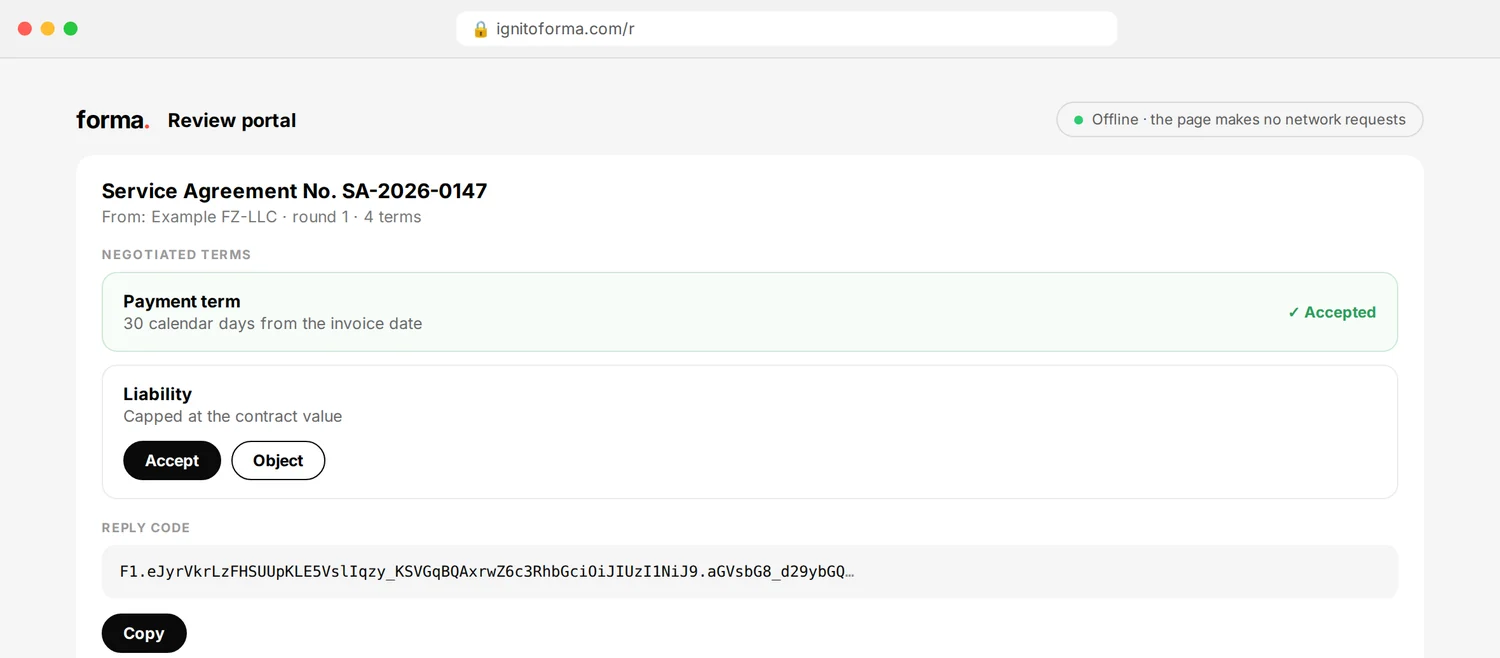
A counterparty or a lawyer receives a .forma file or a short code and opens it on the portal — in any browser, on any system. They see the text, mark the terms and return verdicts and edits as one string. Nothing to install, no account to create.
An honest boundary: the portal is review and negotiation, not a second app. Drafting, deadlines and storage stay in the app on an Apple device. If all you need is to take part in someone else's negotiation, a browser is enough.
How it looks
Screens, not descriptions
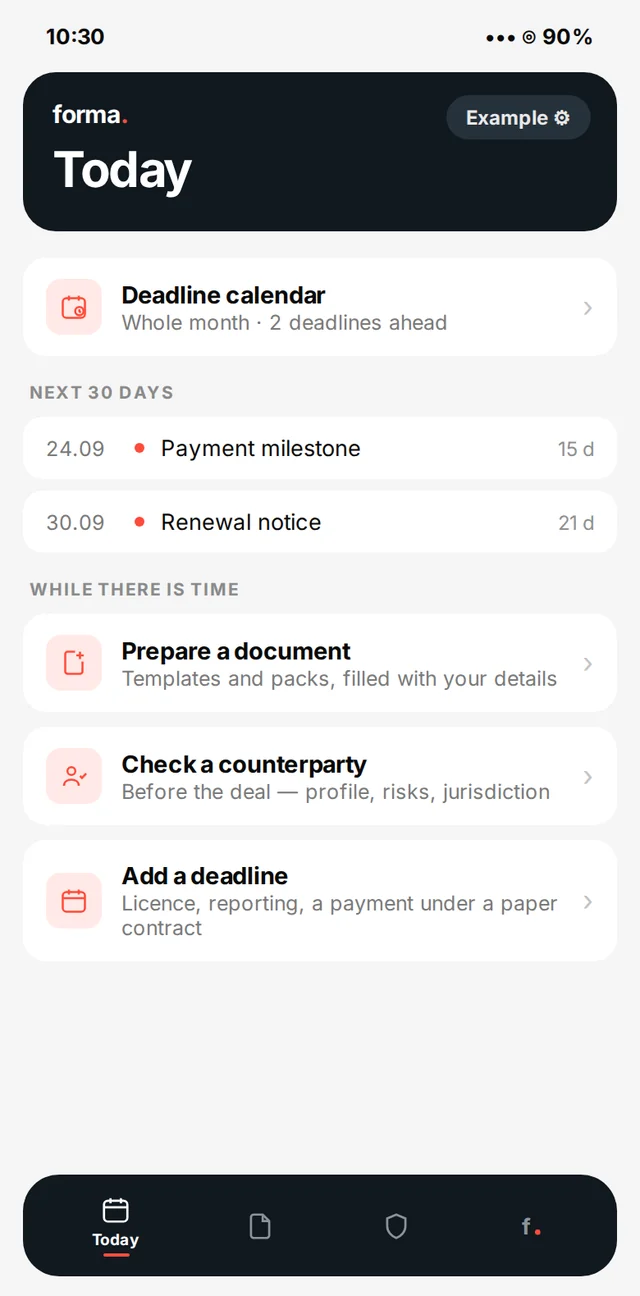
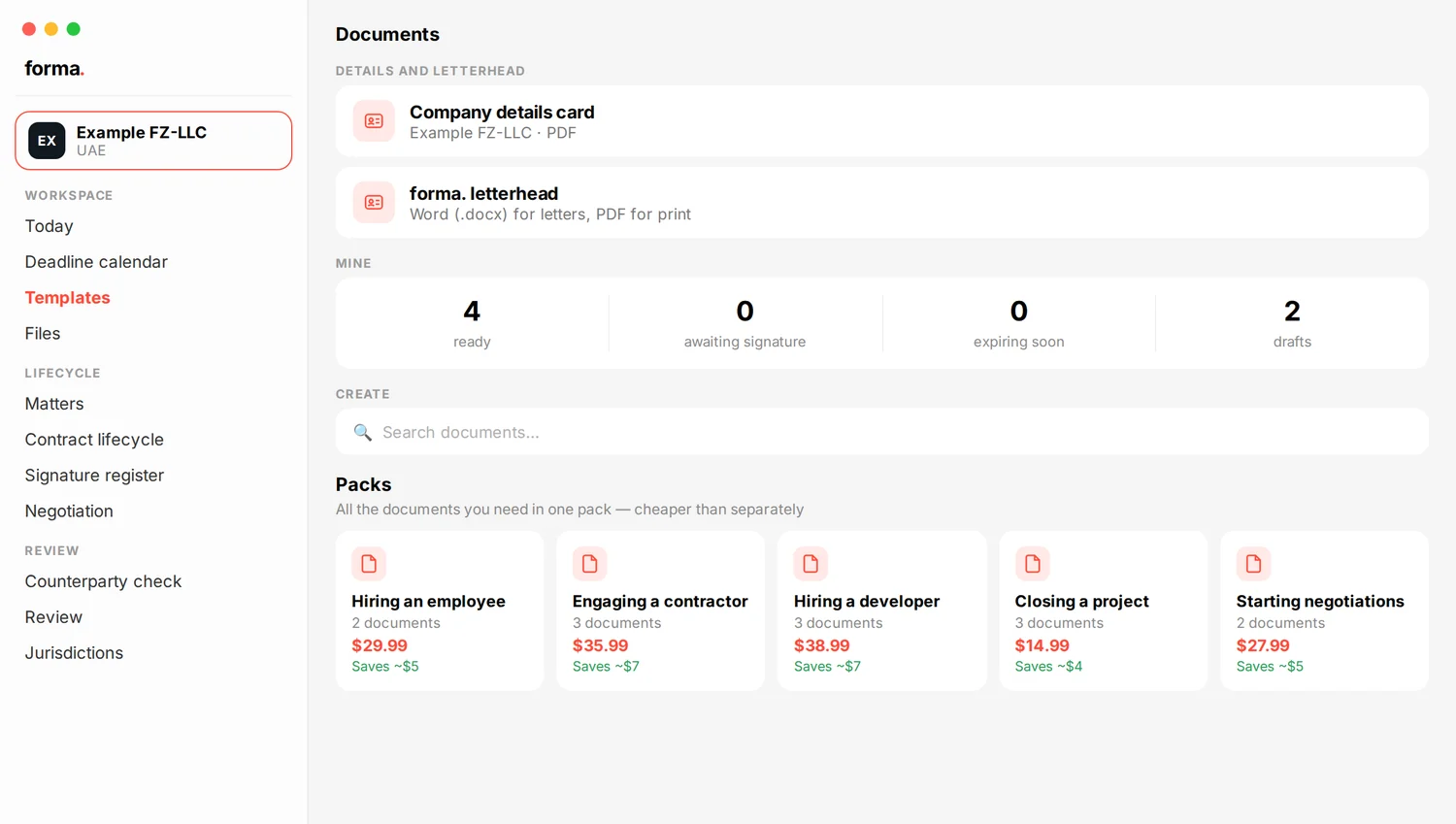
The data on the screens is demonstration data: the company, counterparties and deadlines are invented.
What forma. does
One tool for the contract's whole journey
Documents from a questionnaire
A catalog of contracts and corporate documents: NDA, services, development, hiring, investment and corporate papers. Answer the questions — get a finished PDF. The questionnaire stays on the device.
Deadlines and “Today”
Obligations are extracted from the contract itself: payments, notices, expiry. The “Today” screen shows what needs action — with reminders and Calendar export.
Serverless negotiation
Terms go to the counterparty as a short code or a .forma file — mail, messenger, AirDrop. Verdicts and edits come back the same way and land in negotiation rounds. There is no intermediary between you.
External lawyer
The full document leaves as a file, encrypted if you wish. The lawyer opens it on the portal in any browser, with nothing to install and no account, and returns verdicts as one short string.
Counterparty check
Counterparty cards are created from your own documents. Due-diligence questionnaires, red flags, re-check reminders — all computed on the device.
Group of companies
Several entities in one app: group structure, each company with its own documents and deadlines, a consolidated view for the parent.
Price and access
A form is bought once, then applied
There is no subscription. A form is bought once and includes its first application: notices and letters from $1.99, documents from $9.99, situation packs (hiring, a product launch, a round) from $14.99 — always cheaper than the same documents bought separately.
Edits within the same deal are free and unlimited. As long as the parties stay the same, the document can be re-issued as often as you like: change a date, an amount or a clause and get a new PDF at no extra cost.
A new counterparty is an application of the form you already own, and it costs noticeably less than the form itself: $4.99 for everyday forms, $9.99 for deal forms, $14.99 for the largest ones. Bundles of 5 and 20 applications bring that down to roughly $3–9 each.
No counter at all: invoices, powers of attorney, policies, corporate resolutions and KYB questionnaires can be issued as many times as you need, for anyone, at no extra cost.
Reviewing someone else's document in the browser portal is free and requires neither the app nor an account.
Frequent questions
What people ask before installing
If I lose my phone, do I lose the contracts?
No, as long as iCloud is on: data syncs between your devices and comes back on a new one when you sign into the same Apple ID. The copy sits in your storage, not ours.
My counterparty is on Windows or Android
A browser is enough: they open the file or code you sent on the review portal and return the answer as a string. No install, no account.
I bought an NDA — can I use it with another counterparty?
Yes. Edits within the same deal are always free. A new counterparty is an application of the same form: it costs less than the form, from $4.99, and a bundle of applications brings that down further. Invoices, resolutions, policies and powers of attorney carry no counter at all.
Does this replace a lawyer?
No. Documents are prepared from templates and responsibility for their use rests with the user. forma. removes the mechanical part of the work, not the judgement about whether a document fits your case.
Everything else is on the support page, together with our email and our Telegram bot.